Are you having issues with your installation?

You can now make an appointment with our Customer Service by clicking on the following link:

See more
 
Logo
Website Control your heating Contact us Submit a request Sign in
  1. Helping Centre
  2. Information and Known Issues
  3. Generalities

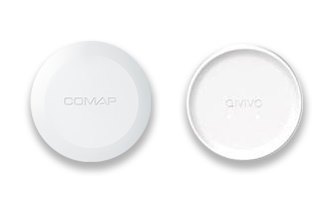
The Gateway

The gateway must be connected to your box or your internet router because it communicates with our servers in order to control your thermostat. The products communicate by radio waves (6lowpan).

The LEDs located on the gateway indicate its behaviour.

If the connectivity LED is solid green, this indicates good communication. On the other hand, if the LED is blinking, it indicates that there is a bad communication.
thumbnail__1_.jpg

    Articles in this section

  • Maximum Temperature
  • Booking an appointment on Calendly
  • Deleting products from my customer account
  • The Gateway
  • Solving a transmission problem

Related articles

  • Solving a transmission problem
  • My thermostatic valve does not control the heating anymore
  • New installation: no communication
  • Behaviour of the thermostatic head in the event of an internet outage (“Offline” mode)
  • How to add a product : heating module

Promoted articles

  • New installation: no communication
  • No more communication from your thermostat (error code: re-pair your thermostat)
  • How to add a product : thermostat
  • Where to purchase the COMAP Smart Home thermostat?
  • Where to find additional Pilot Wire modules?
  • How to add a product : heating module
  • Multizone: how does it work?
  • Anticipation service : monthly subscription
  • Autonomous Subscription Service

Was this article helpful?

0 out of 3 found this helpful
×
Logo

Aalberts HFC - COMAP France

English (United Kingdom) Français
Copyright COMAP © 2021